Did you know that Laravel Auth system allows you to block the user after X bad attempts to log in? Even more, you can change that limit! This trick works with out of the box Laravel Auth system and all you have to do is modify one file.
Open App\Http\Controllers\Auth\AuthController.php and add these lines:
protected $maxLoginAttempts = 10; // Amount of bad attempts user can make
protected $lockoutTime = 300; // Time for which user is going to be blocked in seconds
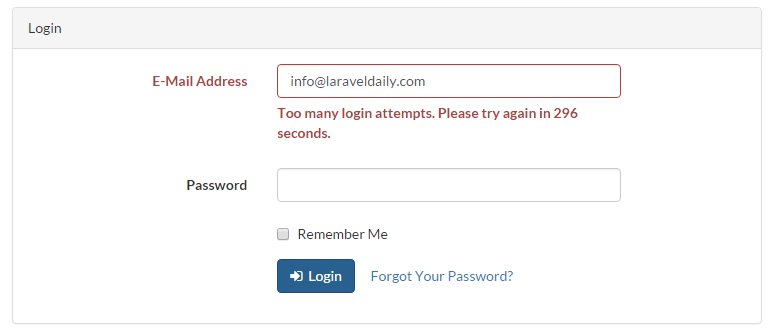
Now if we enter our bad login information 10 times in a row, we should see:
 By default, if you don't change anything and just use Laravel out-of-the-box, those parameters are equal to 5 times and 60 seconds respectively.
To change the error message we see, go to resources/lang/en/auth.php.
By default, if you don't change anything and just use Laravel out-of-the-box, those parameters are equal to 5 times and 60 seconds respectively.
To change the error message we see, go to resources/lang/en/auth.php.
'failed' => 'These credentials do not match our records.',
'throttle' => 'Too many login attempts. Please try again in :seconds seconds.',
If you're curious how it works under the hood, it's simple: information about blocked users and remaining time is stored in session data. Not in database or cookies, in session.

No comments yet…