
Imagine you have a Filament form with Select and Input fields, where that second Input should be visible only if a particular Select item is chosen. In addition, the condition is defined in a DB column from that Select relationship table. How to do it?
Imagine a form for a Company where you need to fill in the name, the country and enter a VAT number only for the countries that require it.
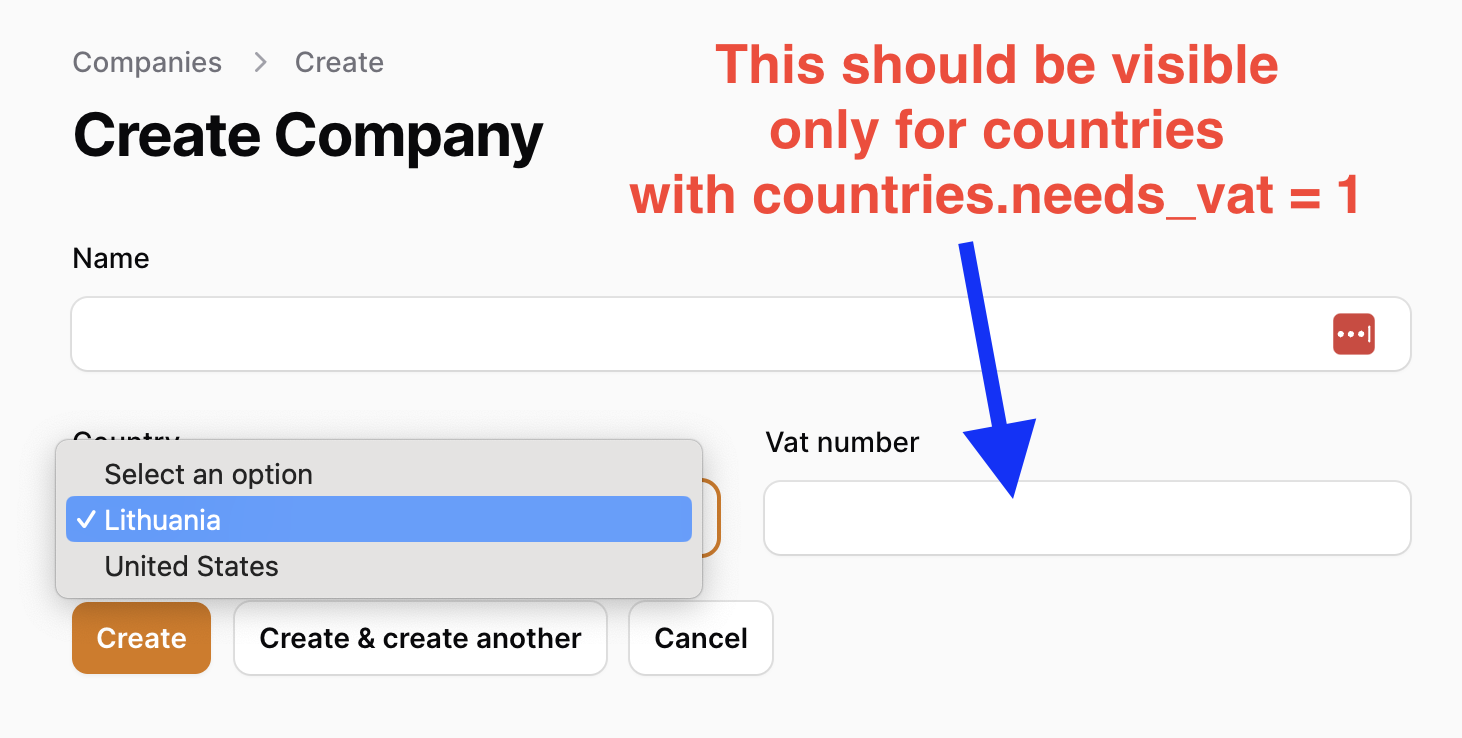
Imagine this DB structure:
countries
- name
- needs_vat (boolean, default
false)
companies
- name
- country_id (foreign key)
- vat_number (string, optional)
Filament form code where that VAT Number field is always visible:
app/Filament/Resources/CompanyResource.php:
public static function form(Form $form): Form{ return $form ->schema([ Forms\Components\TextInput::make('name') ->columnSpanFull(), Forms\Components\Select::make('country_id') ->relationship('country', 'name'), Forms\Components\TextInput::make('vat_number'), ]);}According to the official Filament documentation, to show/hide a field, we need to use the ->live() method on the first field and can use the ->visible() method on the second field, with a callback function condition and $get() value.
Checkbox::make('is_company') ->live() TextInput::make('company_name') ->hidden(fn (Get $get): bool => ! $get('is_company'))But our case is more complicated: how do we do that with a relationship column from the Select?
Our $get('country_id') would not return the needs_vat value.
One of the options is to query it from the database ourselves. Here's the updated working code:
app/Filament/Resources/CompanyResource.php:
public static function form(Form $form): Form{ return $form ->schema([ Forms\Components\TextInput::make('name') ->columnSpanFull(), Forms\Components\Select::make('country_id') ->relationship('country', 'name') ->live(), Forms\Components\TextInput::make('vat_number') ->visible( fn($record, $get) => Country::query() ->where([ 'id' => $get('country_id'), 'needs_vat' => 1 ])->exists() ), ]);}If you want more Filament examples, you can find more real-life projects on our FilamentExamples.com.
No comments yet…