This time - a really short tip. In default Laravel Auth functionality there are some predefined values, settings and similar stuff - one of them is redirecting to /home URL if a user is already logged in. What if we don't have that /home - what if in our case it's different?
Basically, if you don't have /home URL in your routes.php file, you will get something like this:
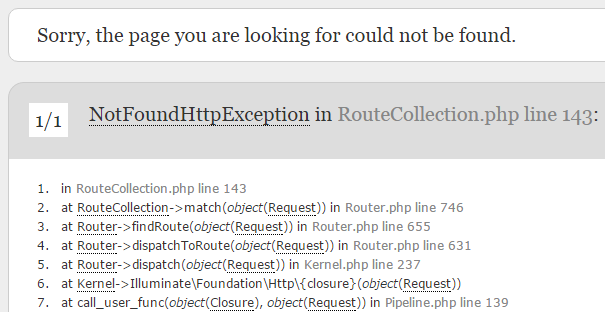 If you want to change that already-logged-in URL to a different one - let's say, /account or just root URL /, you need this file:
app/Http/Middleware/RedirectIfAuthenticated.php:
If you want to change that already-logged-in URL to a different one - let's say, /account or just root URL /, you need this file:
app/Http/Middleware/RedirectIfAuthenticated.php:
    public function handle($request, Closure $next)
    {
        if ($this->auth->check()) {
            return redirect('/home');
        }

        return $next($request);
    }
Just change '/home' here to whatever you want and that's it. You can also use something like redirect()->route() or even some other functionality, not only redirect.
Update: thanks for the tip in the comments by Florian from Laramap (awesome project, by the way) and Francis - if you want to change the after-login URL, you should override a property in app/Http/Controllers/AuthController.php:
protected $redirectPath = '/dashboard';

No comments yet…