
Making parent-child dependent dropdowns in Filament isn't that hard. The problem is the Edit form: how to auto-populate all the Select values from the database correctly?
Imagine a scenario: you select a country, and a list of cities must be shown in the second Select field.
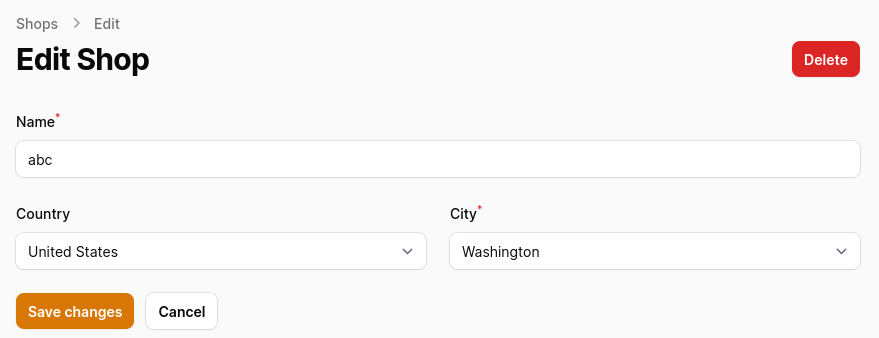
Preparation: DB/Model Structure
In this example, we have tables for countries, cities, and shops. Shops are only related to the city, and from the city, we can get the country.
database/migrations/xxx_create_countries_table.php:
Schema::create('countries', function (Blueprint $table) { $table->id(); $table->string('name'); $table->timestamps();});database/migrations/xxx_create_cities_table.php:
Schema::create('cities', function (Blueprint $table) { $table->id(); $table->foreignId('country_id')->constrained(); $table->string('name'); $table->timestamps();});database/migrations/xxx_create_shops_table.php:
Schema::create('shops', function (Blueprint $table) { $table->id(); $table->string('name'); $table->foreignId('city_id')->constrained()->cascadeOnDelete(); $table->timestamps();});app/Models/Shop.php:
use Illuminate\Database\Eloquent\Relations\BelongsTo; class Shop extends Model{ protected $fillable = [ 'name', 'city_id', ]; public function city(): BelongsTo { return $this->belongsTo(City::class); }}Initial Filament Form with Parent-Child Select
This is the code for the Filament form, based on the official Filament docs:
app/Filament/Resources/ShopResource.php:
use Livewire\Component as Livewire; class ShopResource extends Resource{ protected static ?string $model = Shop::class; protected static ?string $navigationIcon = 'heroicon-o-shopping-bag'; public static function form(Form $form): Form { return $form ->schema([ Forms\Components\TextInput::make('name') ->required() ->columnSpanFull(), Forms\Components\Select::make('country_id') ->live() ->label('Country') ->dehydrated(false) ->options(Country::pluck('name', 'id')) ->afterStateUpdated(function (Livewire $livewire) { $livewire->reset('data.city_id'); }), Forms\Components\Select::make('city_id') ->required() ->label('City') ->placeholder(fn (Forms\Get $get): string => empty($get('country_id')) ? 'First select country' : 'Select an option') ->options(function (Forms\Get $get) { return City::where('country_id', $get('country_id'))->pluck('name', 'id'); }), ]); } // ...}The initial form works on the Create page but doesn't load options correctly on the Edit page: both Select values are empty!
How do we fix showing options correctly on the Edit page?
Populate Values for Edit Page
To fix the Select fields, first, we must inject the current record and the function to set the state of another field.
Then, we need to check if the current record isn't empty and the state of country_id is empty. If those conditions are true, then we must set the values for both the country_id and city_id Select fields.
use Livewire\Component as Livewire; class ShopResource extends Resource{ protected static ?string $model = Shop::class; protected static ?string $navigationIcon = 'heroicon-o-shopping-bag'; public static function form(Form $form): Form { return $form ->schema([ Forms\Components\TextInput::make('name') ->required() ->columnSpanFull(), Forms\Components\Select::make('country_id') ->live() ->label('Country') ->dehydrated(false) ->options(Country::pluck('name', 'id')) ->afterStateUpdated(function (Livewire $livewire) { $livewire->reset('data.city_id'); }), Forms\Components\Select::make('city_id') ->required() ->label('City') ->placeholder(fn (Forms\Get $get): string => empty($get('country_id')) ? 'First select country' : 'Select an option') ->options(function (Forms\Get $get) { ->options(function (?Shop $record, Forms\Get $get, Forms\Set $set) { if (! empty($record) && empty($get('country_id'))) { $set('country_id', $record->city->country_id); $set('city_id', $record->city_id); } return City::where('country_id', $get('country_id'))->pluck('name', 'id'); }), ]); } // ...}Pay attention to the current record, which uses a PHP null-safe operator. Otherwise, the form will break on the Create page because there will be no record.
If you want more Filament examples, you can find more real-life projects on our FilamentExamples.com.
Hi...i am getting the following error with your example
method_exists(): Argument #1 ($object_or_class) must be of type object|string, array given
on the line $livewire->reset('data.city_id');
https://www.youtube.com/watch?v=x4f9ETnCG4o via this tutorial maybe this one is also useful: https://filamentphp.com/docs/3.x/forms/advanced#dependant-select-options
in afterStateUpdated(), the Livewire is not working (Filament 3.2), but this is working: ->afterStateUpdated(function (Forms\Set $set) { $set('city_id', null); })
Can you explain the ->dehydrated(false)?
What is this doing?
Does not send data after form submissions