
Filament is great for creating full CRUDs in Resources. But what if you want to create just a single Edit form for one specific record, without the full Resource? Let's use a Custom Page for it.
In this example, we will use a company that belongs to a user.
The idea comes from the question on the official Filament Discord:

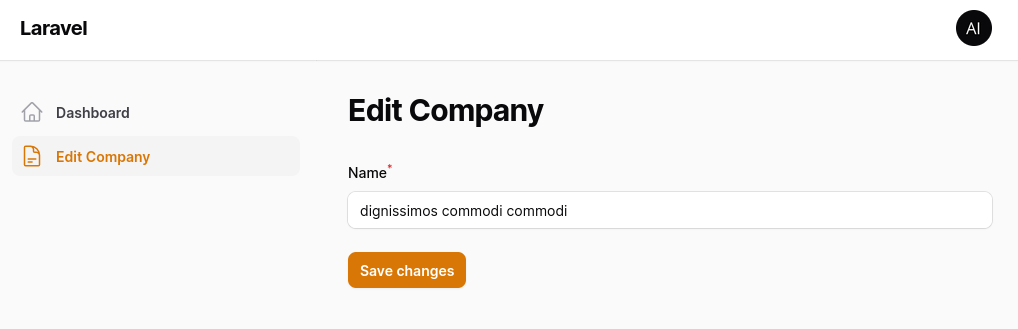
Here's the result of what we're gonna be building.
Prepare Custom Page
The main thing you need to understand that it's sometimes easier to create a Custom Page with just the actions you want than to create a full Filament Resource and then try to "strip it down".
Also, Filament comes with separated packages, so you can use Filament Forms/Tables even outside of Filament, in Livewire components.
So first, create a custom page and prepare it to use Filament Forms.
php artisan make:filament-page EditCompany --type=customNotice: when creating a custom page, don't specify any associated Resource.
Now, we need to implement an interface and add a trait to use Filament forms.
app/Filament/Pages/EditCompany.php:
use Filament\Forms\Contracts\HasForms;use Filament\Forms\Concerns\InteractsWithForms; class EditCompany extends Page implements HasForms{ use InteractsWithForms;}Custom page now can use Filament Forms, so let's add a form.
app/Filament/Pages/EditCompany.php:
use Filament\Forms\Form;use Filament\Forms\Components\TextInput;use Filament\Forms\Concerns\InteractsWithForms; class EditCompany extends Page implements HasForms{ use InteractsWithForms; public ?array $data = []; protected static ?string $navigationIcon = 'heroicon-o-document-text'; protected static string $view = 'filament.pages.edit-company'; public function mount(): void { $this->form->fill(); } public function form(Form $form): Form { return $form ->schema([ TextInput::make('name') ->required(), ]) ->statePath('data'); } }And we need to render the form in the Blade file.
resources/views/filament/pages/edit-company.blade.php:
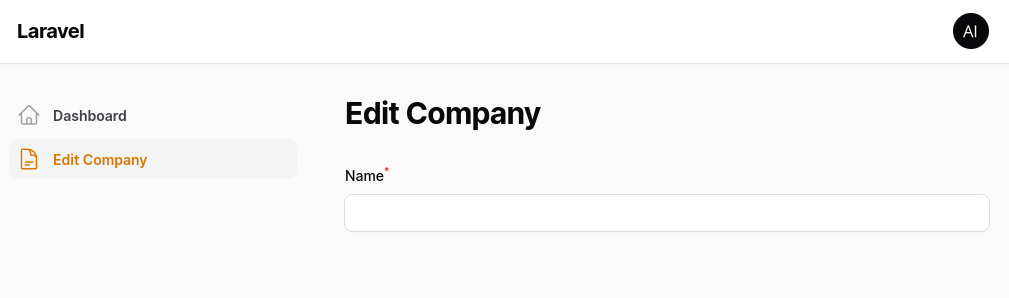
<x-filament-panels::page> <x-filament-panels::form> {{ $this->form }} </x-filament-panels::form></x-filament-panels::page>After visiting the edit company page, we now see an empty form.
Filling and Submitting Form
We must fill form inputs with the company information first. Because here we have a hasOne relation to the company, we get all the company data by just doing auth()->user()->company.
app/Models/User.php:
use Illuminate\Database\Eloquent\Relations\HasOne; class User extends Authenticatable implements FilamentUser{ // ... public function company(): HasOne { return $this->hasOne(Company::class); }}app/Filament/Pages/EditCompany.php:
class EditCompany extends Page implements HasForms{ // ... public function mount(): void { $this->form->fill(); $this->form->fill(auth()->user()->company->attributesToArray()); } // ...}Next, we need a submit button.
app/Filament/Pages/EditCompany.php:
use Filament\Actions\Action; class EditCompany extends Page implements HasForms{ // ... protected function getFormActions(): array { return [ Action::make('save') ->label(__('filament-panels::resources/pages/edit-record.form.actions.save.label')) ->submit('save'), ]; }}resources/views/filament/pages/edit-company.blade.php:
<x-filament-panels::page> <x-filament-panels::form> {{ $this->form }} <x-filament-panels::form.actions :actions="$this->getFormActions()" /> </x-filament-panels::form></x-filament-panels::page>After revisiting the edit company page, we can see the form is filled with data, and we have a submit button.
All that's left is to update the data. We need a method for updating the company and to add wire:submit directive to the form.
resources/views/filament/pages/edit-company.blade.php:
<x-filament-panels::page> <x-filament-panels::form> <x-filament-panels::form wire:submit="save"> {{ $this->form }} <x-filament-panels::form.actions :actions="$this->getFormActions()" /> </x-filament-panels::form></x-filament-panels::page>app/Filament/Pages/EditCompany.php:
use Filament\Support\Exceptions\Halt; class EditCompany extends Page implements HasForms{ // ... public function save(): void { try { $data = $this->form->getState(); auth()->user()->company->update($data); } catch (Halt $exception) { return; } } // ...}Lastly, let's send a success notification message after updating company information.
use Filament\Notifications\Notification; class EditCompany extends Page implements HasForms{ // ... public function save(): void { try { $data = $this->form->getState(); auth()->user()->company->update($data); } catch (Halt $exception) { return; } Notification::make() ->success() ->title(__('filament-panels::resources/pages/edit-record.notifications.saved.title')) ->send(); } // ...}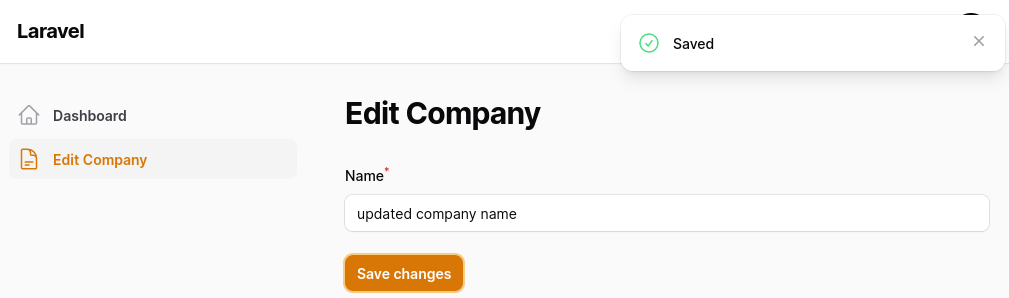
If you want more Filament examples, you can find more real-life projects on our FilamentExamples.com.
Excellent!
how about having file upload in the form ?
What about it?
i have problem to it
The POST method is not supported for route admin/settings. Supported methods: GET, HEAD.
ive always have this message im using costum page
How are you handling upload?
Can show an example of how to add a custom
Clearbutton with notification? i.e. After clicking onClearbutton, it can clear/reset some fields of this record and show a notification that this record wasClearedJust make an action button where action would be to set fields to initial value and send the notification
I could not get things to work, that's why I asked for an example.
It was an excellent elaboration that might help build any predefined settings page like Site title, Notification Email, Enable/Disable any feature, Some footer link, or many more things.
One thing I would like to address, HasForms interface is an unnecessary implementation. It is already announced in Filament\Pages\Page. So we might remove it as I Think.
Thanks
Kinda. But for settings you should use official plugin for spatie laravel settings package
thanks
Thanks! It was very useful.
Thank you!!! But my save() not call but getFormActions is call
Did you solve this issue?
I get this error Target [Filament\Forms\Contracts\HasForms] is not instantiable while building [Filament\Forms\Form].
any ideas?
Could you expand on this a bit more? I'm not sure what you were doing to get this error.
ps. Do not cross post on multiple articles ;)
:) solved, issue was with actions naming conventions, thanks
How about displaying table widget inside tabs?
Can you give more contex? Maybe some screenshots
I have successfully identified the solution through a thorough review of the official documentation. Nonetheless, I appreciate your prompt response.
Thanks! A very useful and clean solution!
I'm working on a multi-tanancy site. I have a 'edit' page for the company table. I'm having a hard time trying to figure out how to change this '$this->form->fill(auth()->user()->company->attributesToArray()); ' to pull the company id in using '$tenant = Filament::getTenant();' I'm unexperianced and would appreciate some advice on how to do this. Thank you
Try Filament::getTenant()->company->attributesToArray() something like that , might work if your team(tenant model) have company.
Thank you. I will let you know if it works.
Very useful information, thanks !
As with Amenkey Pierre (above - who commented 4 months ago), my save() function is never called. Any ideas why?
No idea what you missed as you didnt provide anything
I followed your tutorial so don't know what to provide. The Save button does nothing it never calls the save() function.
If I stuff this button into the form then it works and save() is called.
<button action="submit" wire:click>Save</buttonpublic function mount(): void { dump(auth()->user()->expertData->attributesToArray()); $this->form->fill(auth()->user()->expertData->attributesToArray()); }
data not load to form why?
thank you for the clear explanation.
how can you fill the form data from model that is not based on the authenticated user?
for instance, if we want to create a custom page for a form to edit a master data of a product with certain id?
You get a record as you would usually without filament and fill the form. But what it's the difference from the regular edit page then?
thank you. basically I need custom page to restrict some fields and add extra fields like "reason for update" hen editing
You could generate the form based on the role or whatever else conditions
I followed your steps, but the page does not appear in dashboard navigation menu
I guess your page is in the namespace where filament doesnt discover them or a simple cache
I tried clear the cach, also I check filament discover path
It should just work. Someth is off with your configur maybe. Also, try clearing filament cache, search docs for that
Great content!
How can I make the page translatable?
im trying to create a custom edit page filament for editing the user own school, and it has file upload, at first doing things with text based data is working, when it comes to fileupload, its not working properly
instead of storing filename in database, it store weird json, and the fileupload stuck on tmp file, instead of automatically move it to destination storage on saving. can you spot whats the issue ?
Is there any difference, in this tutorial, between using:
<x-filament-panels::form.actions :actions="$this->getFormActions()" />
and just using a simple submit button? It seems overkill, in this case, but maybe i am missing something or maybe you just want to illustrate the correct way of doing things in Filament.
This way is filament way and only for v3. With v4 everything changed. You can simply add a button