
Of course, we all know about the Artisan command make:model. But do you know about all the available options and parameters? Let's examine those parameters and see what we can generate with the Model.
First, when creating a new Model, if you don't pass any parameters to the Artisan command, you will see a prompt to enter the Model name and choose what to create alongside the Model.

After selecting the wanted options, they are created.
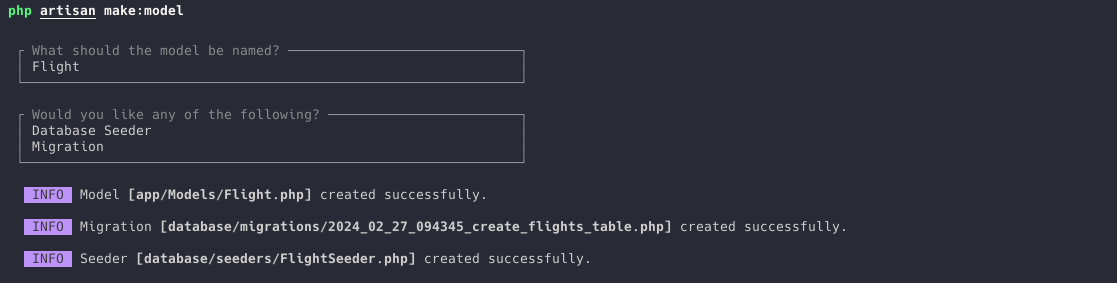
Now, let's see the available options if you want to specify them manually as Artisan command flags.
You don't need to remember them. All available options can be checked by providing -h or --help to the artisan command.
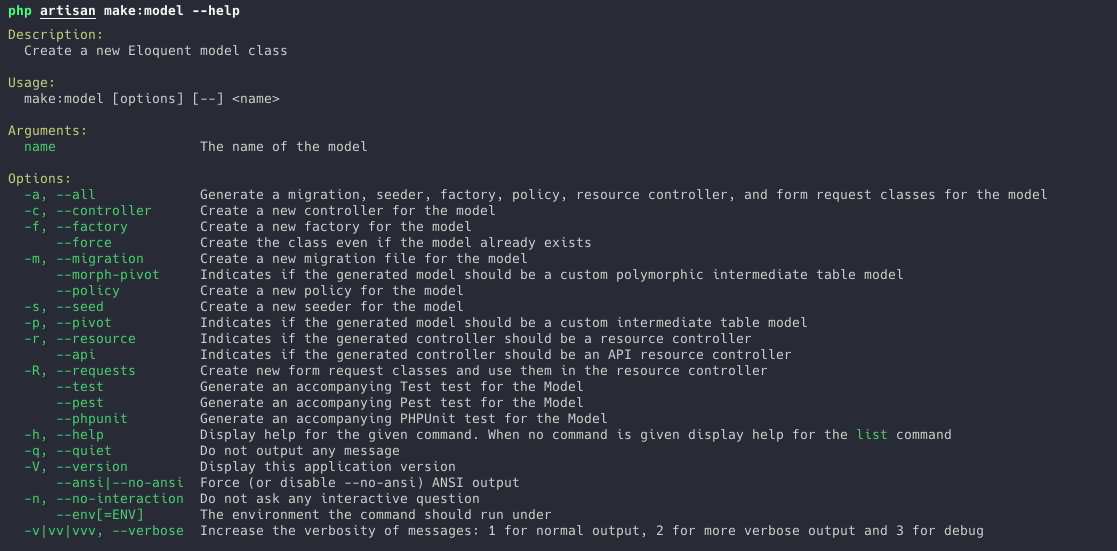
I think creating a Migration and Controller together with the Model is the most common.

The resource Controller will be created if you provide the -r option.

In the Controller, we have seven methods, and to them, the Route Model Binding is injected automatically.
use App\Models\Task;use Illuminate\Http\Request; class TaskController extends Controller{ public function index() { // } public function create() { // } public function store(Request $request) { // } public function show(Task $task) { // } public function edit(Task $task) { // } public function update(Request $request, Task $task) { // } public function destroy(Task $task) { // }}The same is if you create the Form Request with the resource Controller.

All Form Requests are injected automatically.
use App\Http\Requests\StoreProjectRequest;use App\Http\Requests\UpdateProjectRequest;use App\Models\Project; class ProjectController extends Controller{ public function index() { // } public function create() { // } public function store(StoreProjectRequest $request) { // } public function show(Project $project) { // } public function edit(Project $project) { // } public function update(UpdateProjectRequest $request, Project $project) { // } public function destroy(Project $project) { // }}Or if you need everything using the option -a or --all, everything will be generated.
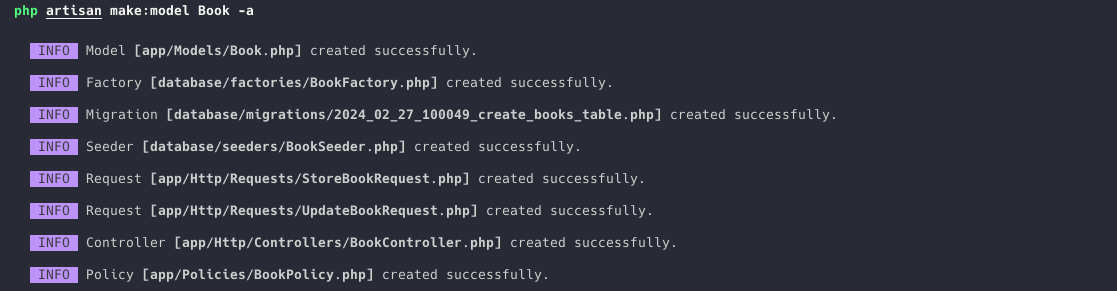
So, you see how many things you can generate from one make:model artisan command.
Do your courses contain videos?
We are trying to move away from video courses and focus on text courses. This is because they are easier to keep up-to date and react to any mistakes/improvements.
So in this case, no, there is no video for this specifically.
Yeah this is actually better. love the idea