
Now we will move on to products. In this lesson, we will create a table of Products, powered by Livewire. For now, we will just show a list of products, and in other lessons, we will add features to it.
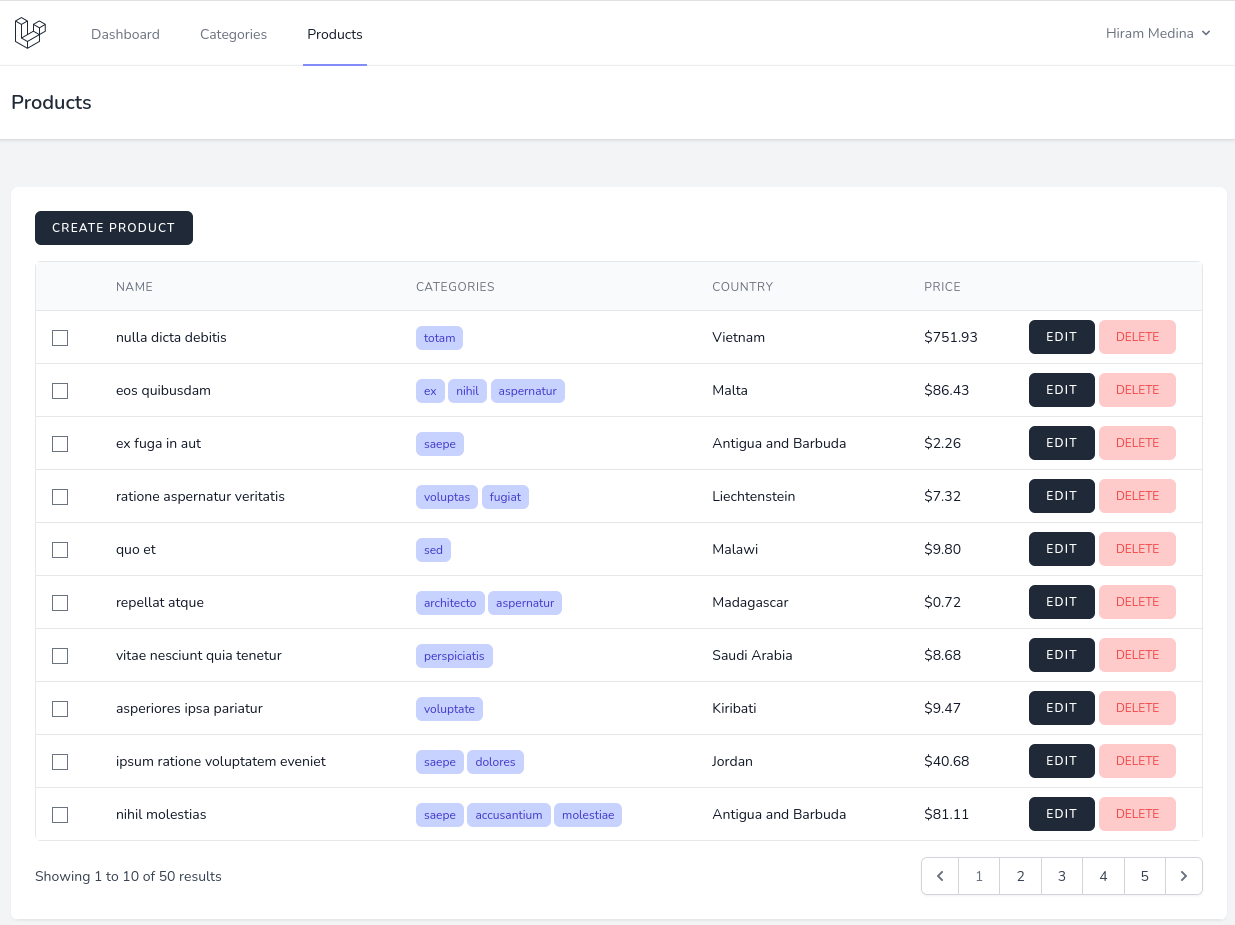
First, we will create a Livewire component...
Now we will move on to products. In this lesson, we will create a table of Products, powered by Livewire. For now, we will just show a list of products, and in other lessons, we will add features to it.
First, we will create a Livewire component...
when I was trying to give product model command this error is given ErrorException
include(C:\Users\HP\Documents\Project\project_one\vendor\composer/../../app/Http/Livewire/ProductList.php): Failed to open s stream: No such file or directory
at C:\Users\HP\Documents\Project\project_one\vendor\composer\ClassLoader.php:578 574▕ * @param string $file 575▕ * @return void 576▕ */ 577▕ self::$includeFile = static function($file) { ➜ 578▕ include $file; 579▕ }; 580▕ } 581▕ } 582▕
1 C:\Users\HP\Documents\Project\project_one\vendor\composer\ClassLoader.php:578 include()
2 C:\Users\HP\Documents\Project\project_one\vendor\composer\ClassLoader.php:432 Composer\Autoload\ClassLoader::Composer\Autoload{closure}("C:\Users\HP\Documents\Project\project_one\vendor\composer/.../../app/Http/Livewire/ProductList.php")
What do you mean by "give product model command"? It seems like the file of ProductList.php is not found, can you double check it actually exists? Sorry, I can't really debug it for you, the error message is pretty clear, I won't help you more than that.
sorry I figure it out bug was because I did not give the data of product country in right sequence in database migration thats why i could not migrate it
To seed database in this step, open
CategoryFactory.phpand amend:Create
ProductFactory.phpand amend:And amend in
DatabaseSeeder.phpWe are seeding
productswith belongs to many relationship. Execute to seed the data:Correct me please, if I'm wrong but It generates a unique category/categories for each product, right?
my approach is :
@Eduardo, both your approach and mine are producing the same result. I am seeding at least 2 random categories with products, and you are seeding 3. I find my code to be cleaner compared to yours. As you can see in the screenshot:
Dear @Povilas Korop,
I'm afraid there are typos in your code. Shouldn't we type hint the relationship in pascal case like this?
Reference
Yeah, well spotted! Will fix. Thanks for taking the time.
Hello,
I have installed the code from the repository (laravel 10.45 but I encounter the same problem with laravel 11) and migrated/seeded the database on a brand new one.
On a listing page (products or orders), I have found a weird behavior concerning the checkboxes on the left when going from one page to another using the pagination below the table.
If I check some checkboxes on the first page for example and then go to the second page (or any other), the same rows are checked on the second page and if I uncheck one of them on the second page, all become unchecked.
Looking forward for a solution
Found the solution: One needs to add wire:key in the loop line 116 of resources/views/livewire/products-list.blade.php
And obviously the same correction line 136 of resources/views/livewire/orders-list.blade.php
That's a really great catch! Updated lessons and repo