
Now, we must understand how to create new pages with Laravel.
How Routes and Blade Work
Let's take a look again at how the default homepage is defined:
routes/web.php:
use Illuminate\Support\Facades\Route; Route::get('/', function () { return view('welcome');});To define the Route at the URL, you do Route::get().
- The first argument is the URL: in this example, it is
/ - The second argument is a callback function that returns a View.
View is a template file written in a Laravel-specific language called Blade. You can think of a Blade file as an HTML file with variables inside.
The welcome part in the code means the file is in a resources/views folder with the extension .blade.php. This extension is crucial.
In that welcome.blade.php file, we have HTML with some Blade syntax like @if or @auth.
Experiment: Changing Text on Homepage
Let's change some text in the View.
resources/views/welcome.blade.php:
// ... <h1 class="mb-1 font-medium">Let's get started</h1> <h1 class="mb-1 font-medium">Welcome to Laravel!</h1> // ...Here's a GitHub commit for this change.
Reload the homepage. We can see new words have been changed without any recompiling or running terminal commands.

Creating a Second Page
Now, let's add a second Route.
routes/web.php:
Route::get('/', function () { return view('welcome');}); Route::get('/second', function () { return view('second');});This will make a project.test/second link available.
The Route will return a View called second.blade.php, which doesn't exist yet. Let's create it.
Copy the file contents from welcome.blade.php to second.blade.php and modify some text.
resources/views/second.blade.php:
// ... <h1 class="mb-1 font-medium">Welcome to Laravel!</h1> <h1 class="mb-1 font-medium">Welcome to Second Page!</h1> // ...Now, navigate to the /second URL. We can see a different View page loaded.
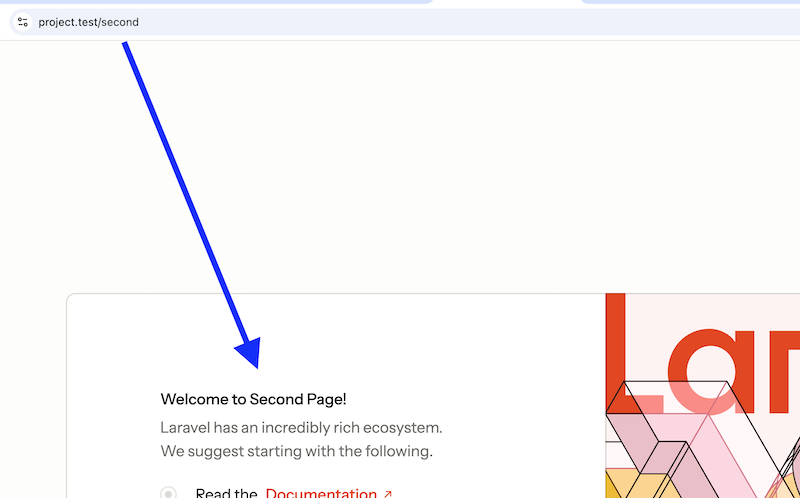
Here's the GitHub commit for this change.
What if Route/View Doesn't Exist?
If you visit a Route that doesn't exist, a standard Laravel 404 error page will be shown:
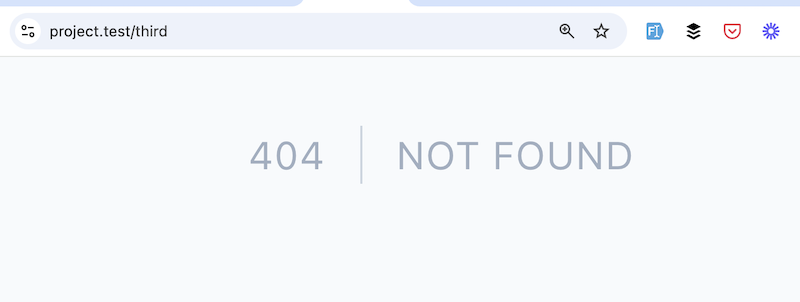
Another situation: you have a Route, but the Blade file isn't created.
Route::get('/third', function () { return view('third'); // <-- third.blade.php file doesn't exist});Then, Laravel will return the error page with 500 HTTP status code (not 404), showing the details of the error:
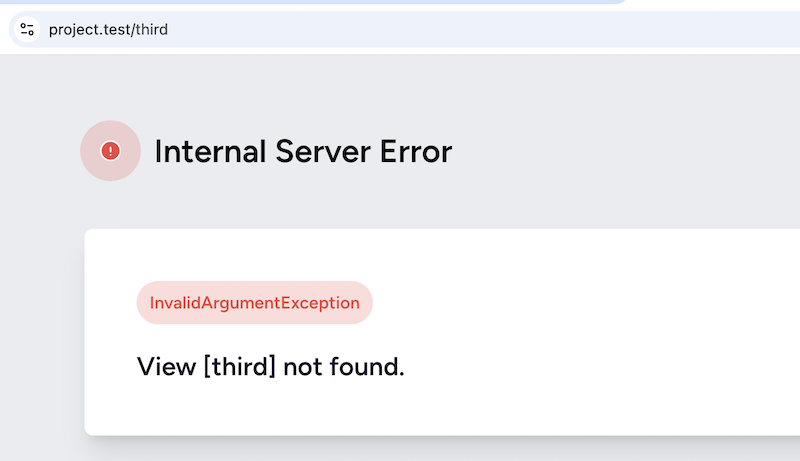
More Simple Syntax: Route::view()
In these examples, we load almost static HTML pages in Blade Views. Of course, the pages will have more complex logic in real projects.
For that, we will create so-called Laravel Controllers, but we will get to that a bit later. One step at a time.
But if you do have similar simple static pages with just a Blade file and without much logic, you can use a shorter syntax in the Routes file: instead of Route::get() and a callback function, do Route::view() and provide the Blade file name as a second parameter.
routes/web.php:
Route::get('/second', function () { return view('second'); }); // More simple syntax:Route::view('/second', 'second'); Here's the GitHub commit for this change.
That's it! That's how you create Routes and simple static pages in Laravel with Blade language.
No comments yet…