
Text Version of the Lesson
Let's try to create a simple CRUD for Tasks with two fields (for now): name and is_completed.
In this lesson, we'll manage the Model/Migration, Routes, and Controllers and add a navigation link in the top menu.
Preparing the Database
First, we create the DB structure with factories to create some fake records:
php artisan make:model Task -mfThe table structure is in Migration.
database/migrations/xxxx_create_tasks_table.php:
public function up(): void{ Schema::create('tasks', function (Blueprint $table) { $table->id(); $table->string('name'); $table->boolean('is_completed')->default(false); $table->timestamps(); });}In the Model, we just make the fields fillable and cast is_completed to boolean.
use Illuminate\Database\Eloquent\Factories\HasFactory;use Illuminate\Database\Eloquent\Model; class Task extends Model{ use HasFactory; protected $fillable = [ 'name', 'is_completed' ]; protected function casts(): array { return [ 'is_completed' => 'boolean' ]; }}Then, the Factory with the rules.
database/factories/TaskFactory.php:
class TaskFactory extends Factory{ public function definition(): array { return [ 'name' => fake()->words(asText: true), 'is_completed' => fake()->boolean(), ]; }}Finally, that Factory should be used in the main seeder to create 10 fake task records.
database/seeders/DatabaseSeeder.php:
use App\Models\Task;use App\Models\User;// use Illuminate\Database\Console\Seeds\WithoutModelEvents;use Illuminate\Database\Seeder; class DatabaseSeeder extends Seeder{ public function run(): void { User::factory()->create([ 'name' => 'Test User', ]); Task::factory()->count(10)->create(); }}And then we run the command:
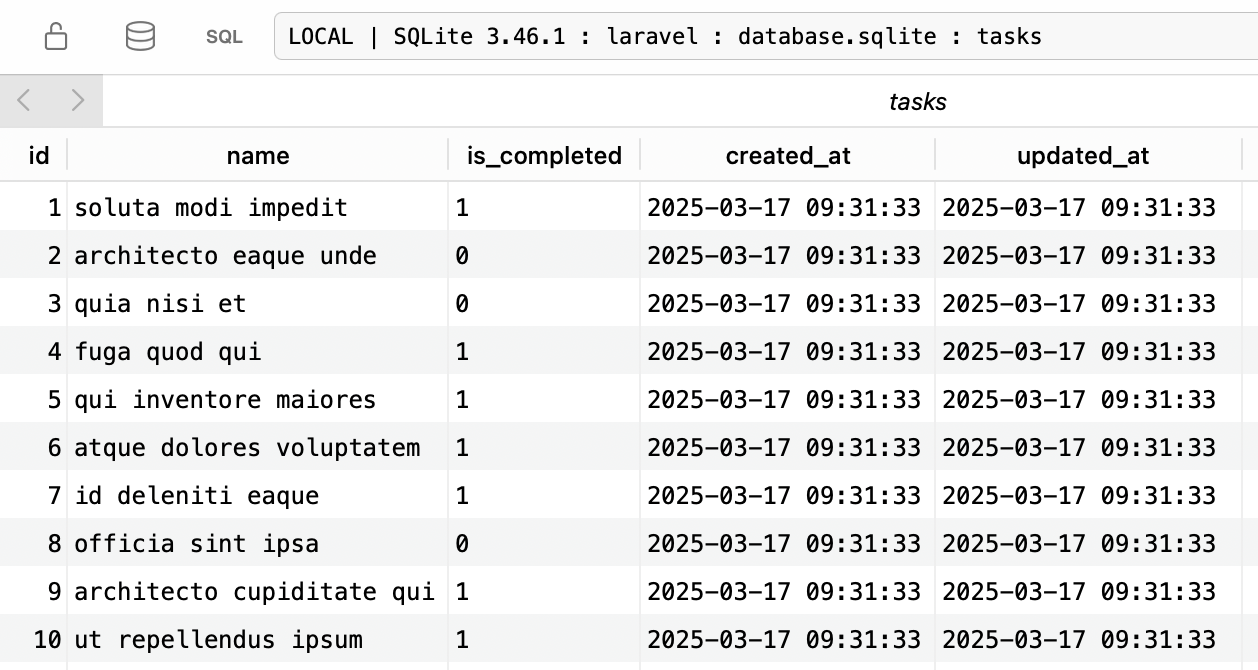
php artisan migrate --seedAs a result, we have 10 records in the DB.
Livewire Component and Routes
We will create a Livewire component to manage the tasks with this command:
php artisan make:livewire Tasks/IndexThen, we assign that Component to...
After adding navigation items to the the header menu, you have to add them to the hamburger ("mobile") menu too. This is the flux:navlist a bit further down.
Good point, missed it somehow, thanks!